【更新 Mac OS 至OS X Mountain Lion後,Parallel 7 無法使用】
【更新 Mac OS 至OS X Mountain Lion後,Parallel 7 無法使用】
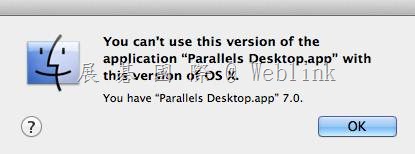
【解決方法】
1. 請至以下網址下載Parallels Desktop 7.0.15104 更新並安裝
Download the update: http://www.parallels.com/products/desktop/download/dr/
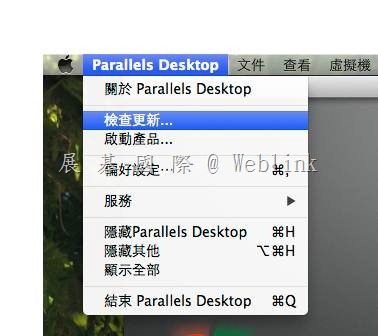
2. 或是參照以下方式進行更新
以下是原廠官網資訊
http://kb.parallels.com/en/114449
Parallels Desktop 7 for Mac does not start after upgrade to OS X Mountain Lion: You can’t use this version of the application “Parallels Desktop.app"
Article ID: 114449
Created On: Jul 26, 2012
Last Review: Sep 5, 2013
Views:
APPLIES TO:
- Desktop Virtualization
Note: This article is for Parallels Desktop 7 only. if you use Parallels Desktop 5 for Mac or Parallels Desktop 6 for Mac please refer to this article: http://kb.parallels.com/114410
Symptoms
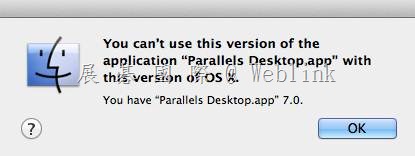
You upgraded your Mac to OS X Mountain Lion and no longer can start Parallels Desktop 7 because of the error message:
You can’t use this version of the application “Parallels Desktop.app" with this version of OS X.
Cause
Parallels Desktop 7 for Mac is not updated to the latest build 7.0.15104
Resolution
Download and install the latest Parallels Desktop 7 update:
1. Download the update: http://www.parallels.com/products/desktop/download/dr/
2. Run the downloaded file and install Parallels Desktop 7.0.15104. Note: only Parallels Desktop application will be reinstalled, no Virtual Machines will be affected.